AI Healthcare SaaS Platform
A 0-to-1 clinical product built on one hard problem: getting a time-starved doctor to trust an AI with work they are legally liable for.
- Client
- Arogo AI
- Role
- Product Design Intern (sole designer)
- Timeline
- 3 months (Apr to Jul)
- Team
- 2 founders, 6 engineers, 1 designer (me)
- Year
- 2025
Snapshot
AROGO AI listens to a doctor's consultation and turns it into finished clinical work: the prescription, the patient health card, and a layer of AI insights covering risk factors, drug interactions, and recommended tests. The doctor talks to the patient. The system does the paperwork.
I joined when the product was still just a thesis and a deck. As the sole designer over three months, I owned the design process end to end, from understanding and reframing the problem statement to establishing the design system and token structure, designing layouts and key product experiences, and preparing everything for handoff.
I worked closely with a six-person engineering team, creating the foundations and detailed designs they used to build the product after I left.
The design problem was never "make it look good." Practicing doctors in India lose a large share of their day to notes, prescriptions, follow-up chasing, and reconciling cash against UPI, often across two or three hospitals. AI can absorb most of that. But a prescription is not a low-stakes UI suggestion. A doctor cannot ship something they did not see, and the platform cannot let an unlicensed stranger open a clinical workspace.
So every decision downstream answered to one tension: AI convenience versus clinical trust. The faster the AI acts alone, the more time it saves and the more risk it carries. The more the doctor reviews, the safer and slower it gets. My job was not to pick a side. It was to design the seam: let the AI do the heavy lifting, then place the doctor at the exact decision points where their judgment and liability require them, and nowhere else.
I delivered the complete end-to-end design and handed it off to engineering, who carried it into development after I left. Before development, I validated the core experience (the medical health cards, onboarding, and the in-app consultation flow) with 10 practicing doctors through prototype usability testing.

The Doctor
A practicing physician, often working across multiple hospitals, chronically short on time, personally liable for every clinical output. Needs the system to earn trust before it earns usage.

Front Desk & Clinical Staff
Administrative and clinical staff managing scheduling, patient intake, billing, and communication. High-volume, process-driven work where errors have real downstream effects.
Role and method
Sole designer, 0-to-1. I owned problem framing, flows, IA, interaction, the visual system, and handoff, working directly with both founders on direction and with six engineers on feasibility.
I did not run primary discovery. The founders carried the domain expertise and curated the research on the doctor's day, which is normal at this stage. Where I owned the user signal was validation: I built interactive prototypes and tested with 10 practicing doctors, concentrating on the three places where being wrong would be most expensive to unwind the AI health card, onboarding and verification, and the consultation itself.
I designed outward from risk rather than from the easy screens. The conversational AI consultation was the spine; everything else was built to support it.
One principle held throughout: a doctor between patients has no spare attention. Calm, explanatory, low-noise interfaces over dense or decorated ones, with complexity isolated to the moments that earn it.
Reduce visual and cognitive noise. A doctor between patients has no spare attention.
Three decisions that define the product
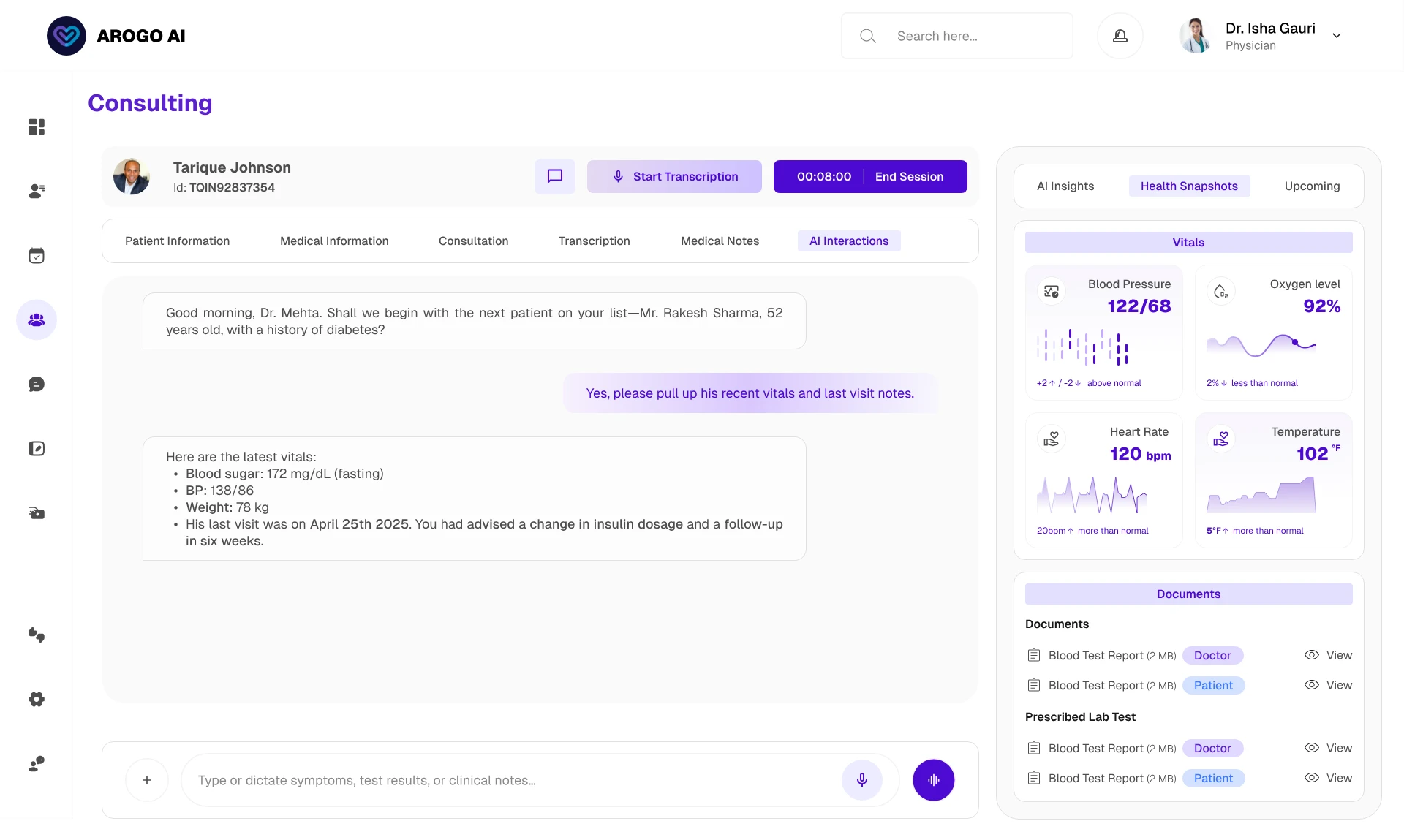
1. The consultation: the AI proposes, the doctor disposes
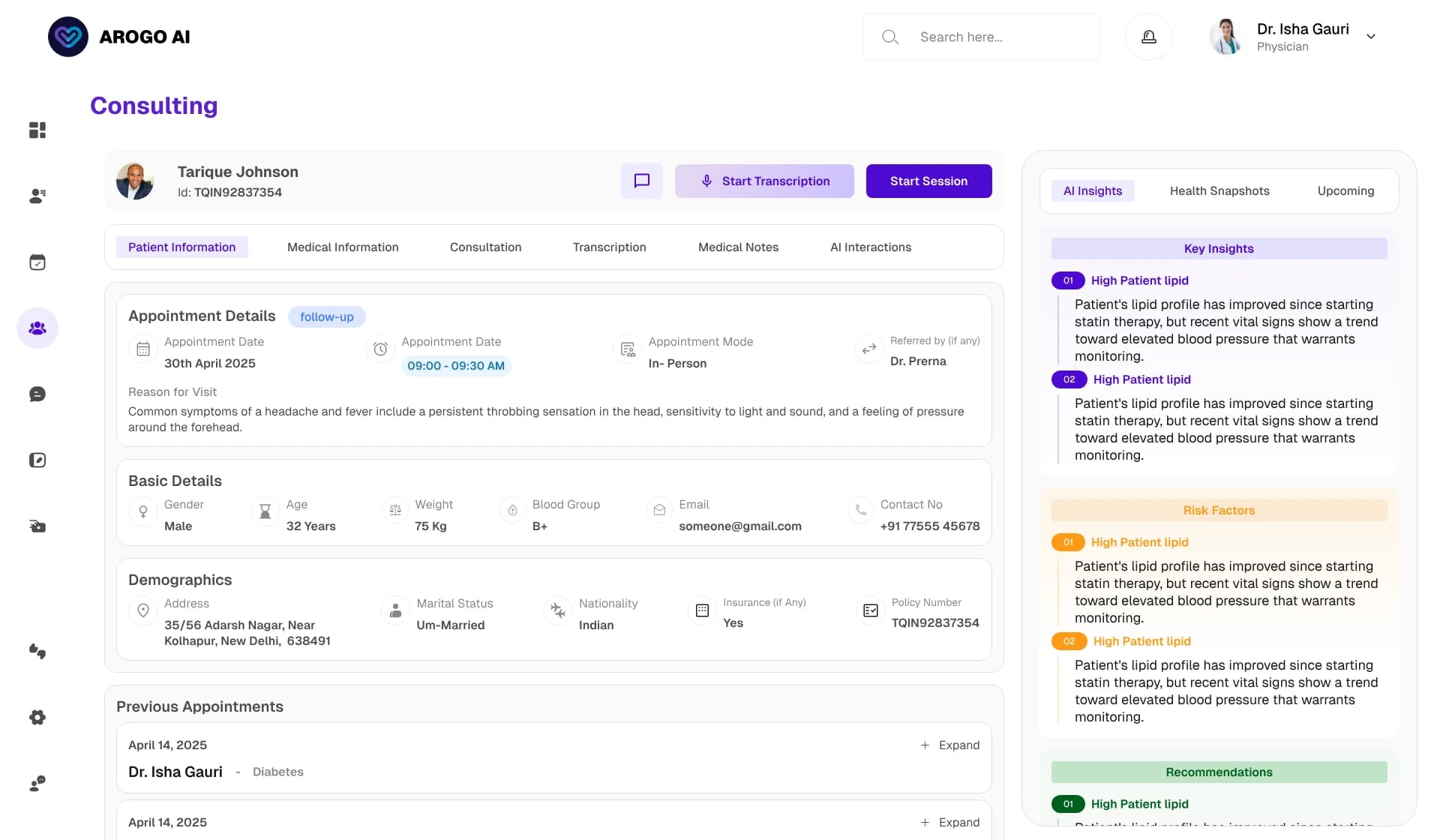
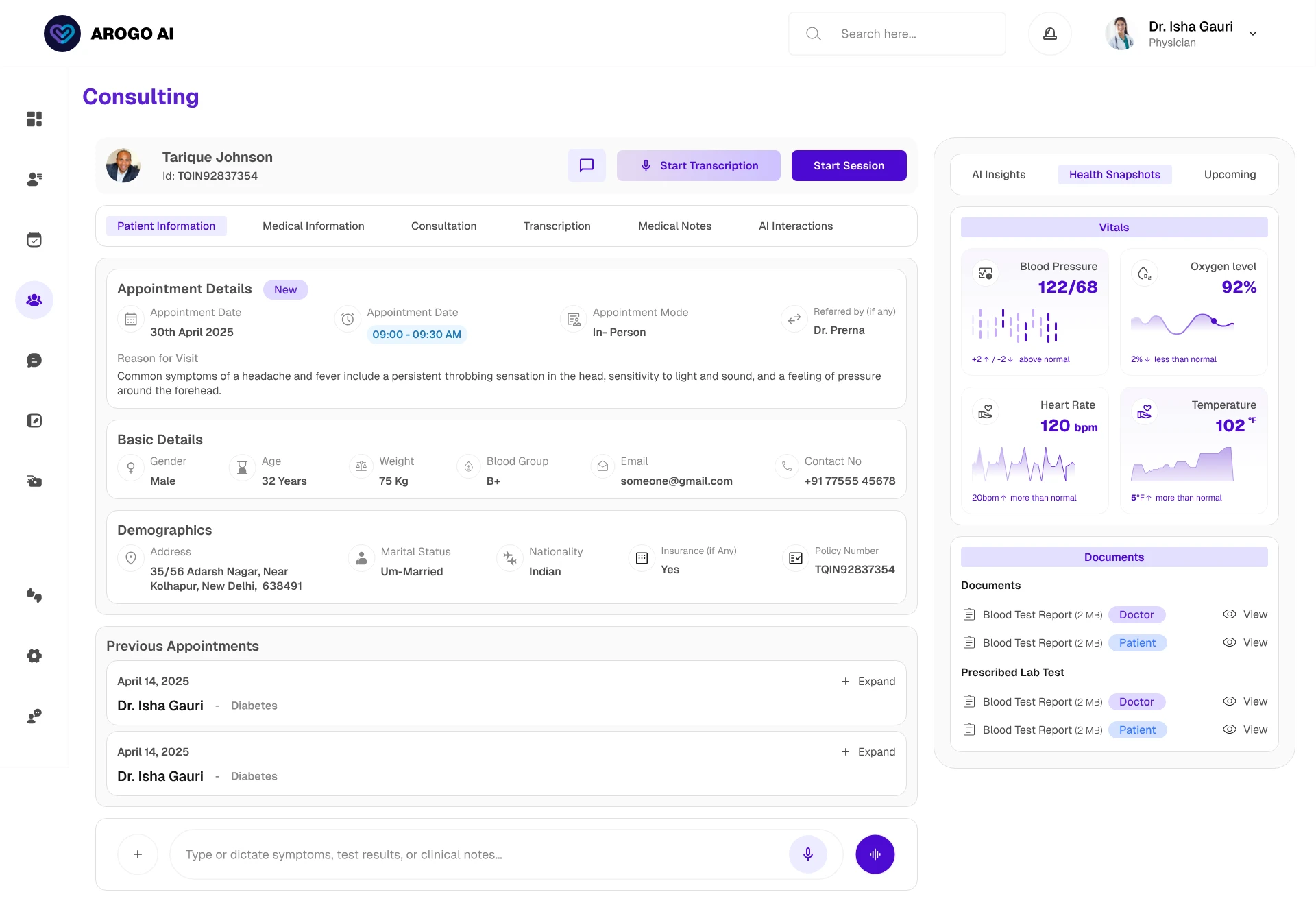
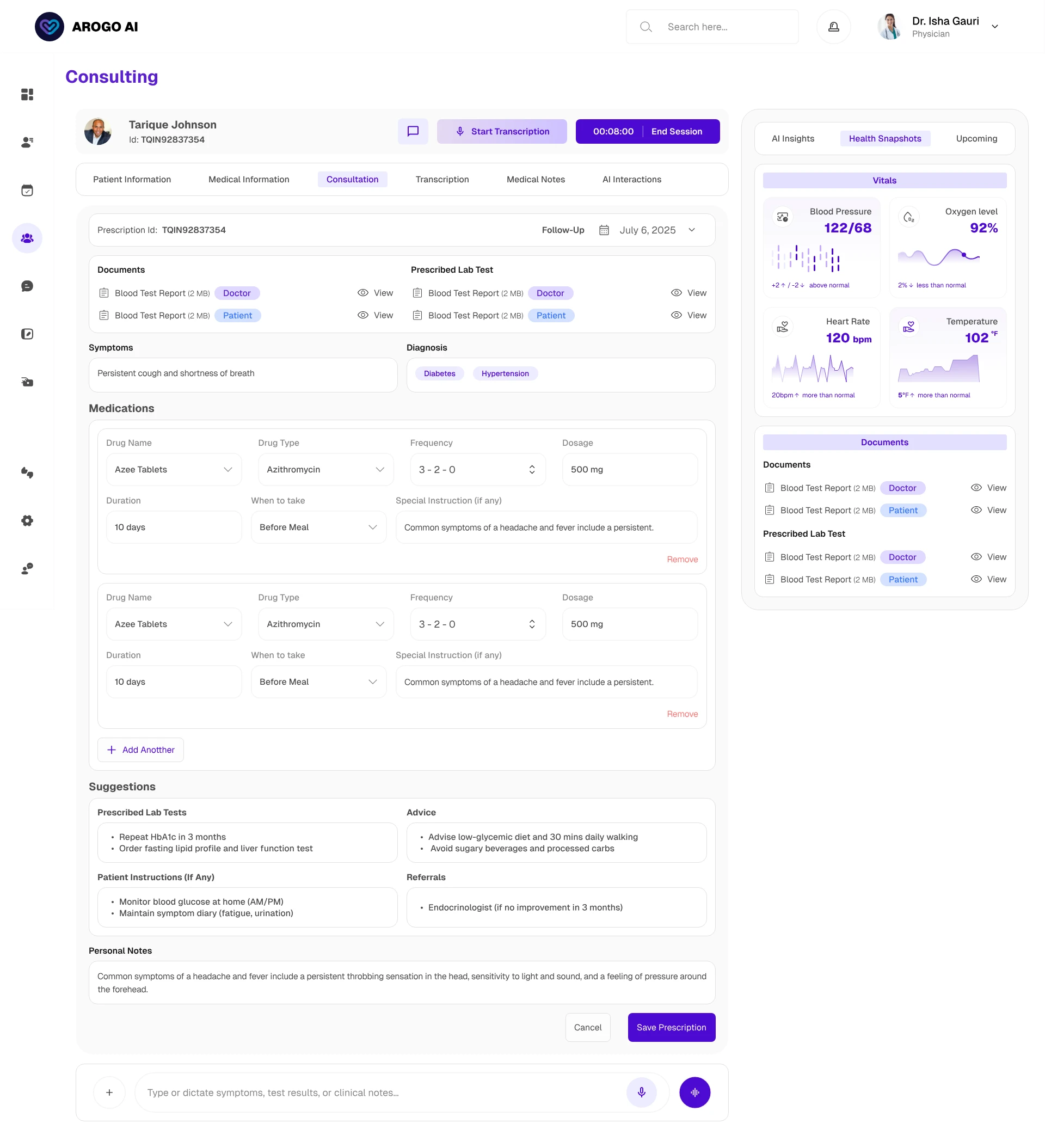
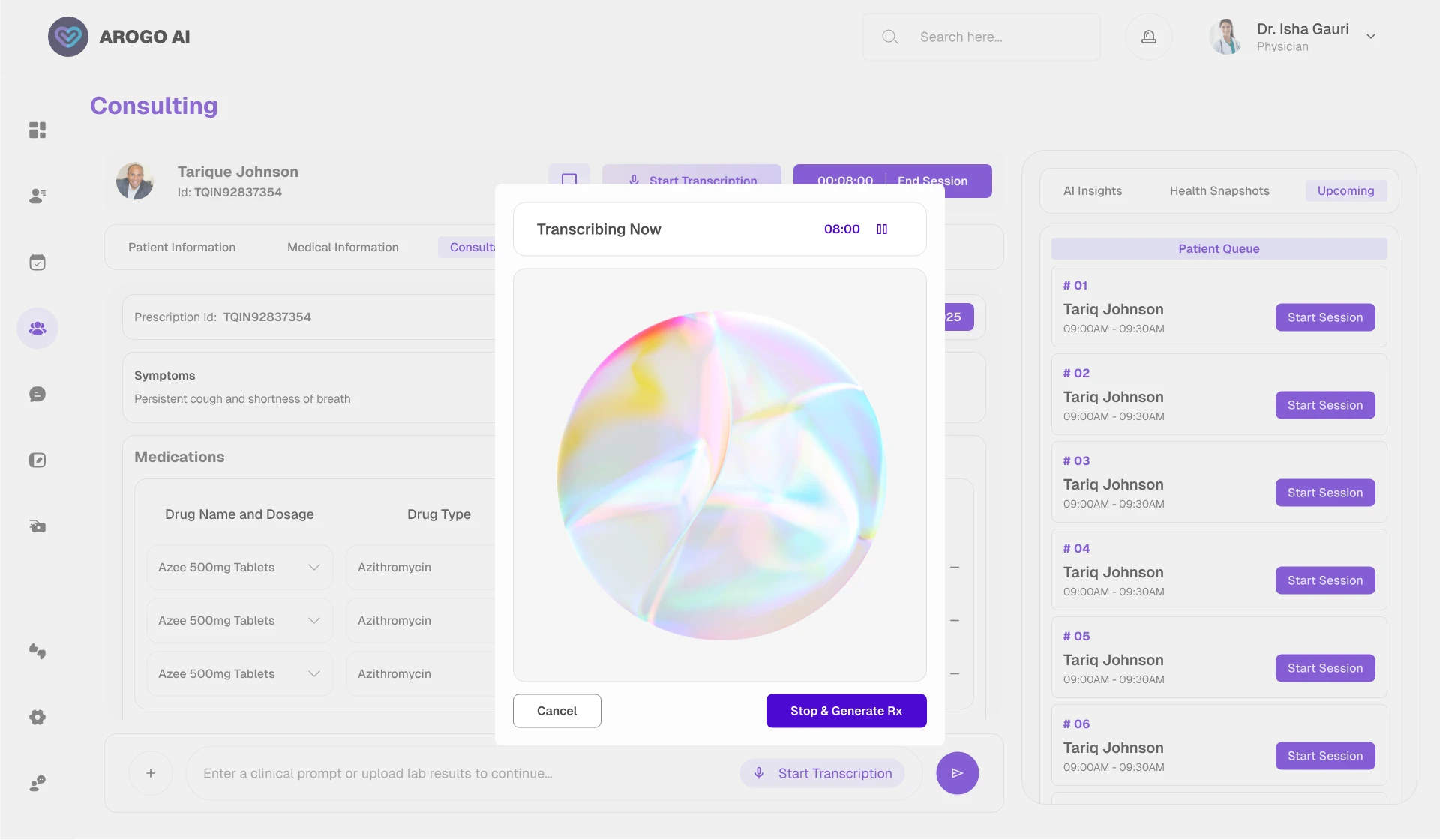
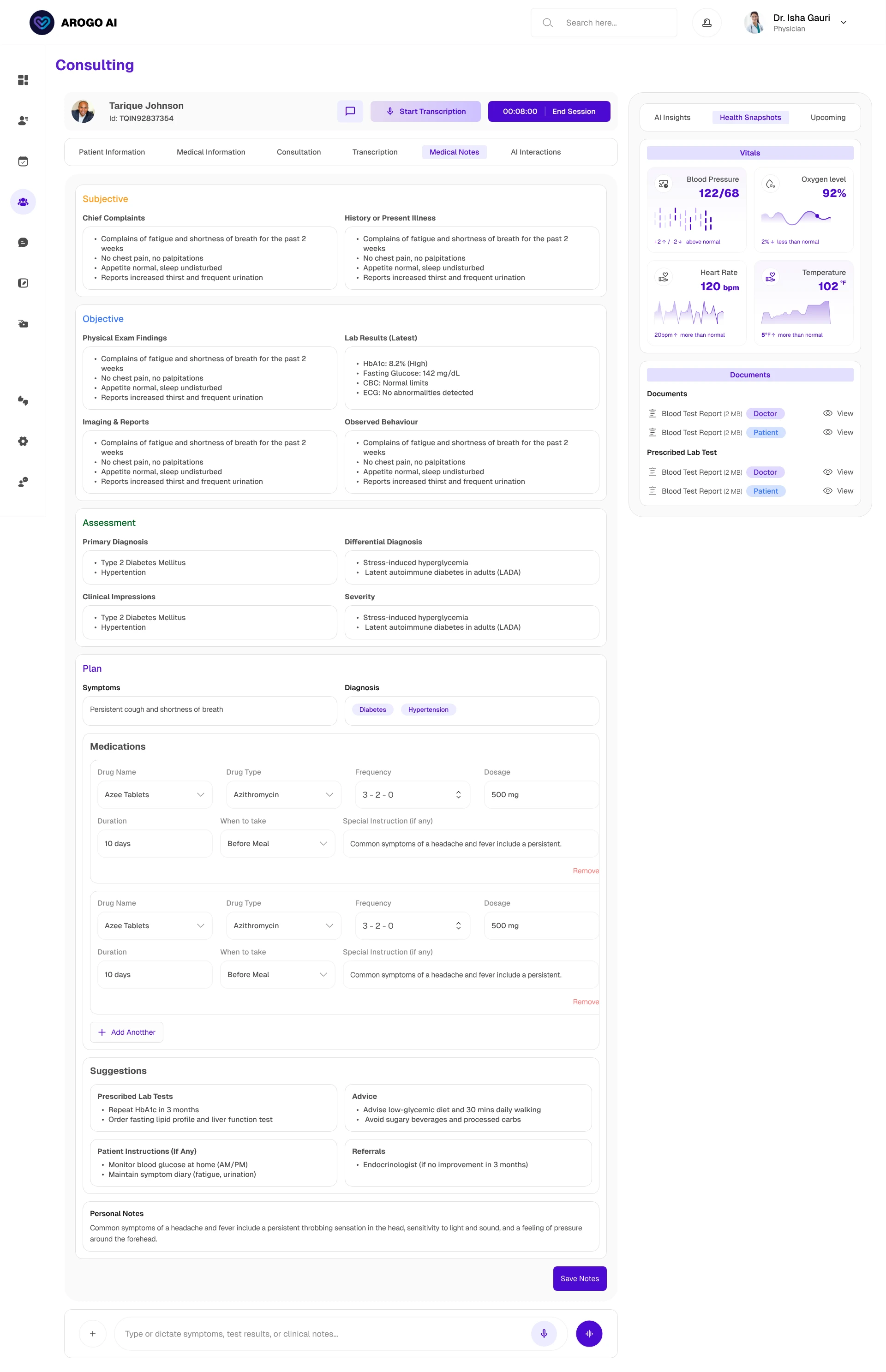
Live transcription runs inside the consultation screen, and the prescription, health card, and clinical insights generate from the conversation in near real time. Three problems had to be solved at once.
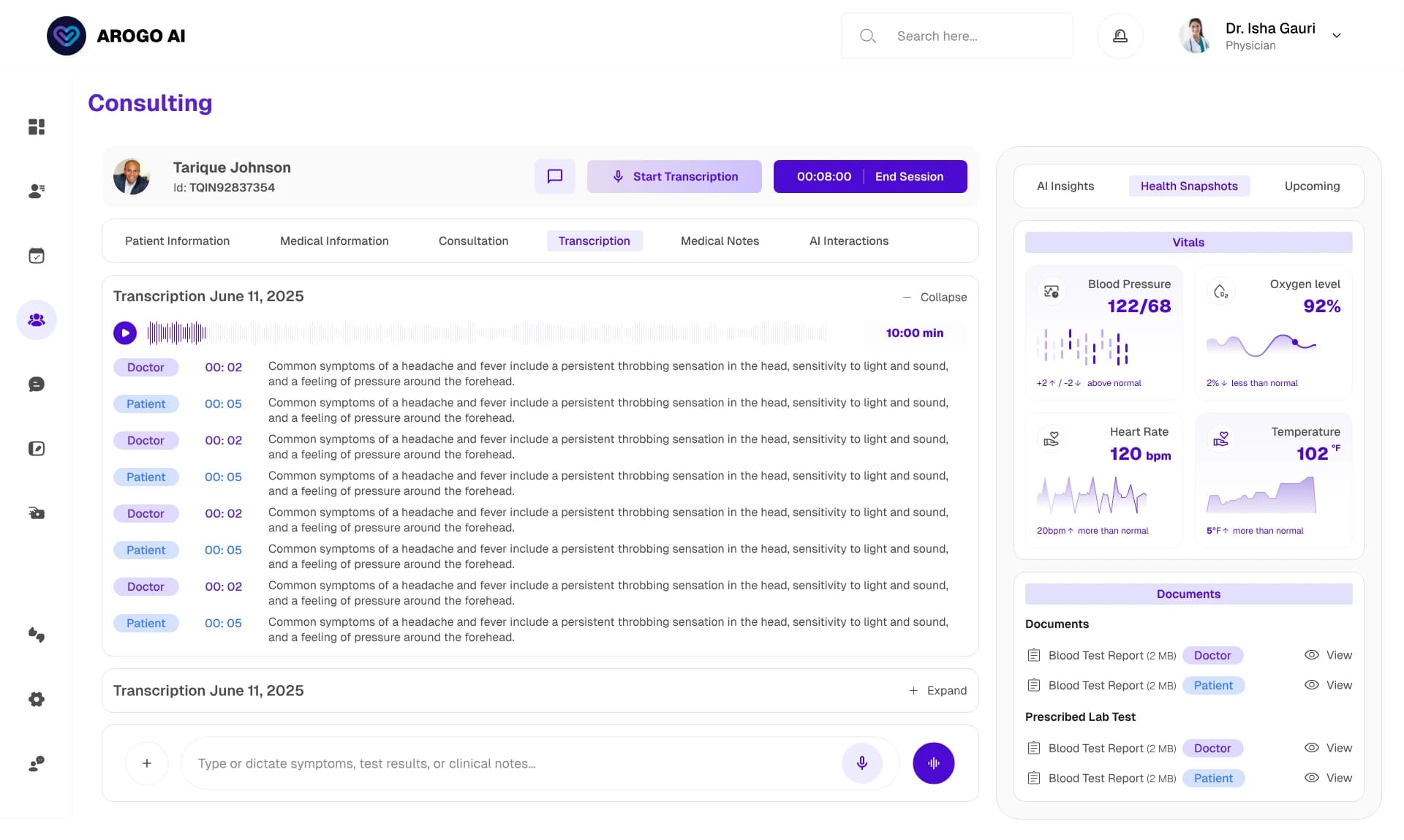
The system cannot output a prescription the doctor did not approve, so I designed the consultation as a chain of review gates rather than a black box. The doctor reads and edits any transcribed line, and every edit saves as a new version while the raw transcription stays accessible, so the record can be corrected without ever losing the source of truth. Only on explicit confirmation does the system generate the prescription and the health card, both of which remain editable. Nothing reaches the patient without a deliberate act by the doctor.
Transcription is only useful if it does not pull the doctor's eyes off the patient. I made it present but quiet available as confirmation, not as something to watch. The patient relationship stays primary; the AI works in the periphery.
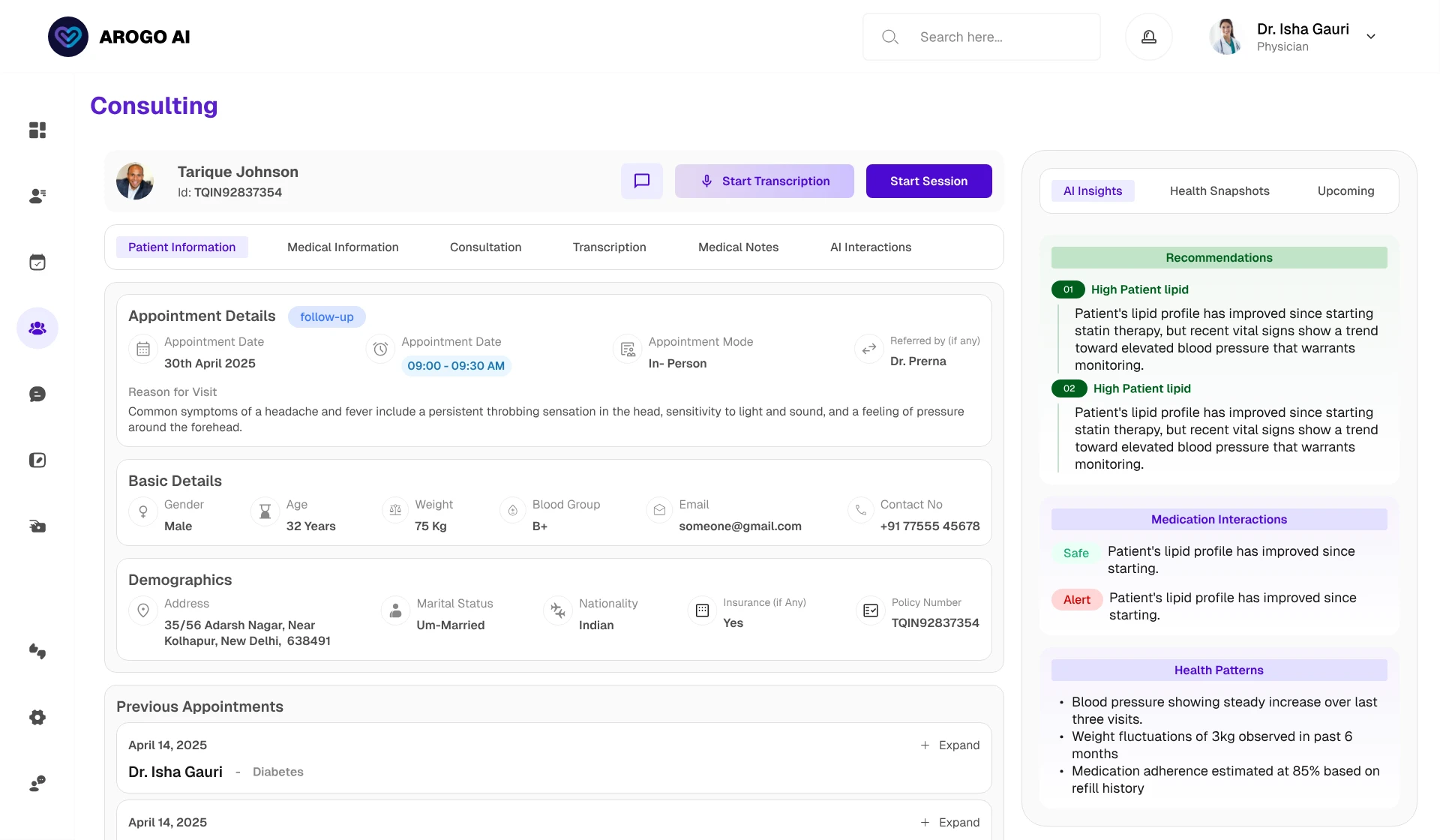
AI generation is not instant, and a doctor staring at a frozen screen is a doctor losing faith. So I split insights into two tiers matched to two needs. Quick Insights return fast, giving the immediately useful read while the doctor is still with the patient. Detailed Insights, the full per-section patient snapshot, compute in the background and notify the doctor when ready, at which point they can review and send to the patient.
That last call became a rule I applied across the product: when the system is genuinely slow, say so and let the user keep moving. An honest wait with a clear expectation builds more confidence than a shimmer pretending nothing is loading. The same logic governs licence verification the doctor completes their profile and explores an empty preview state while approval runs in the background, instead of hitting a blank "pending" wall, which is exactly where new users churn.
2. The health card: separating signal from volume
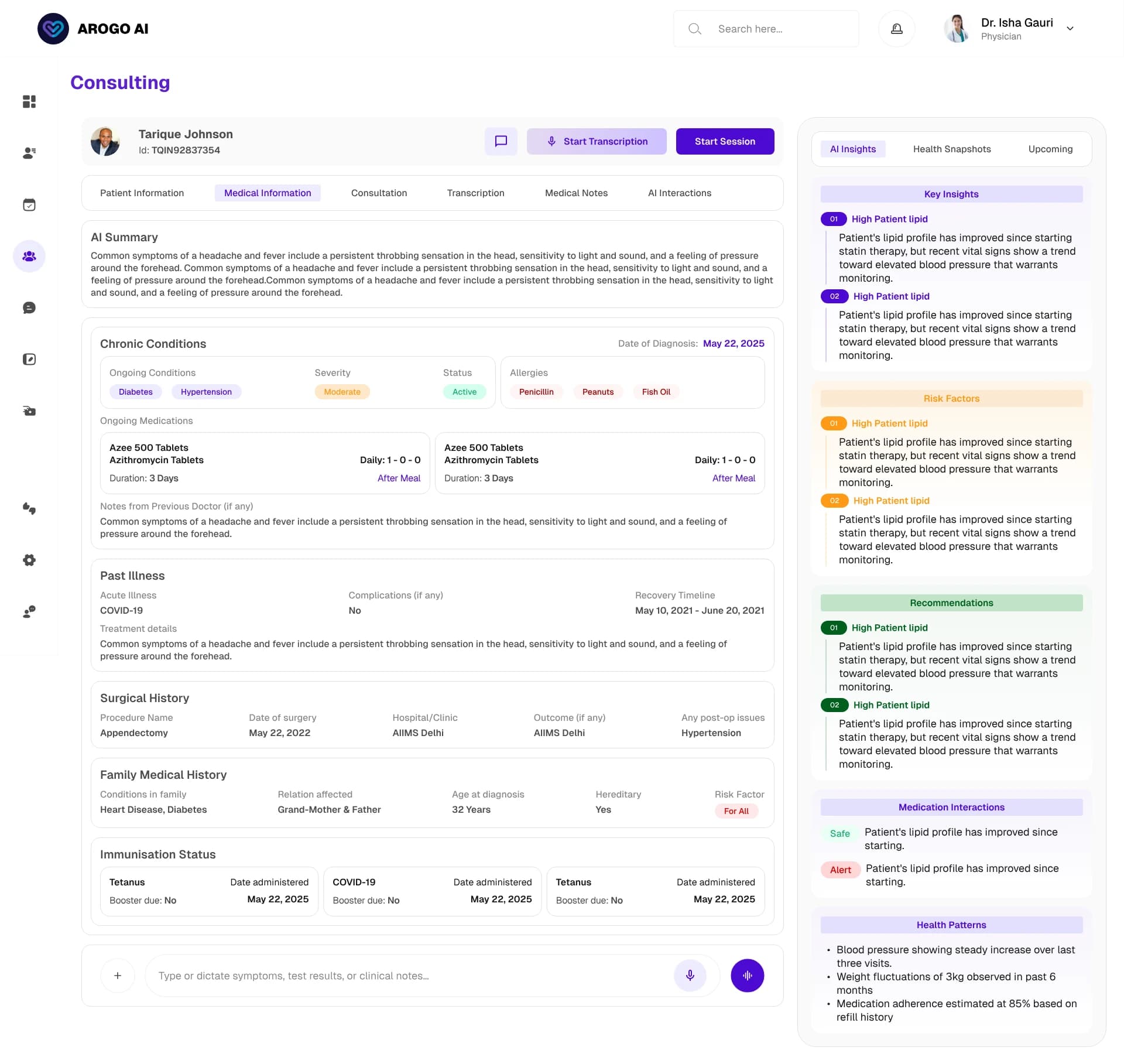
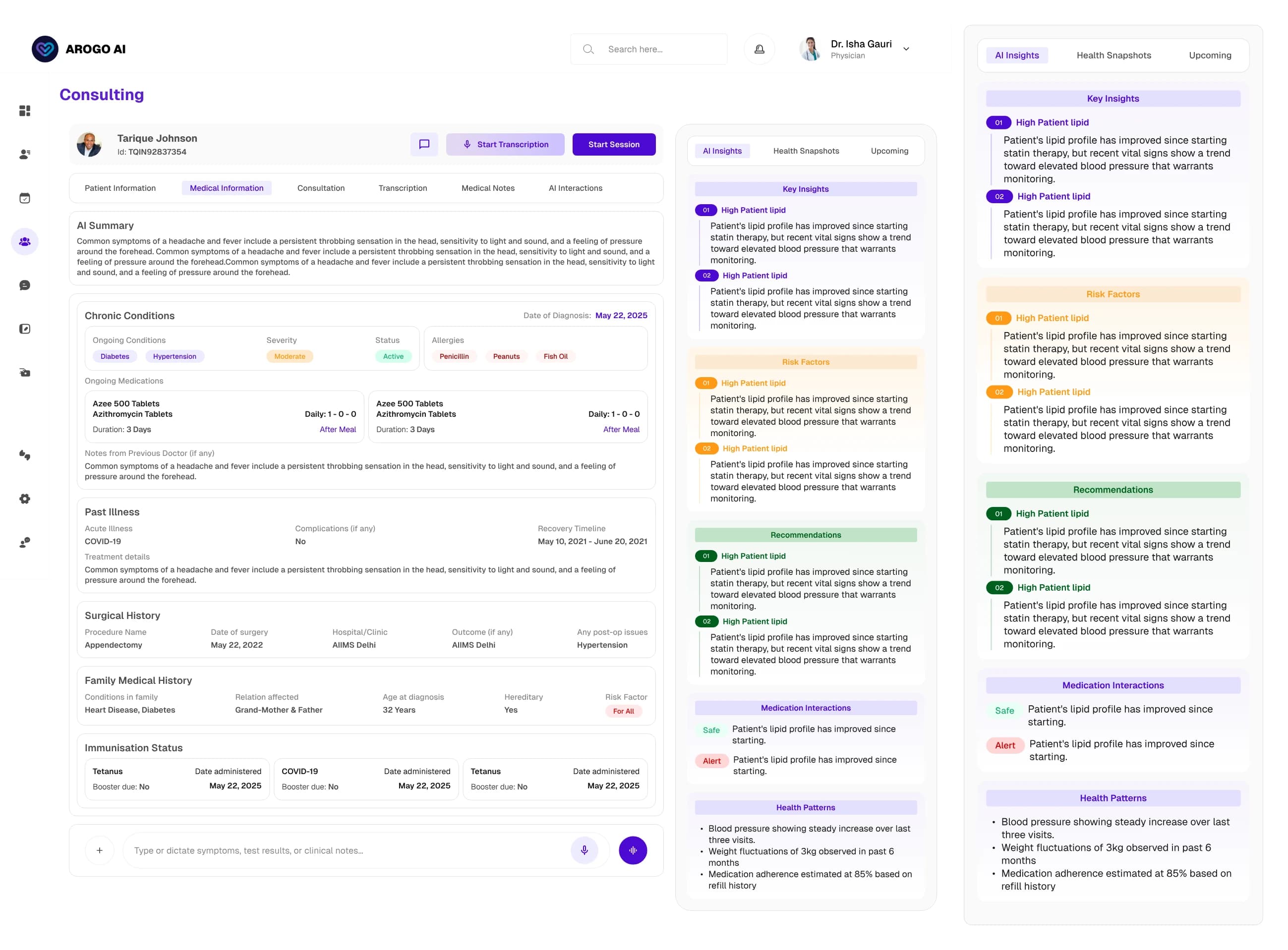
The AI generates seven categories of output. Undifferentiated, that volume is noise, and noise in a clinical tool is dangerous because the consequential thing hides among the routine. This was the surface I tested most heavily with doctors.
I structured it around one question: what does a doctor need in the first five seconds, and what do they pull up on demand? That sorted the seven types into three tiers by clinical consequence.
Leads: risk factors and drug interactions. Strongest visual weight, never hidden behind a tap when severe. A missed interaction is the worst failure this product can produce.
Sits below: the key-insights summary, recommendations, and required tests — the things acted on during this visit, each mapped to a clear next action.
Sits lowest: health patterns and longitudinal snapshots, behind progressive disclosure so the default view stays calm.
Three structural calls held it together. The card opens with a compact health-snapshot band so the doctor orients in a second before any detail unfolds. Every AI-generated block carries visible provenance, reinforcing the same contract as the consultation. And clinical risk got its own severity scale, separate from the interface's destructive-action red. If "delete this record" red and "this combination could harm the patient" red look identical, the eye learns to discount both. Severity drives colour, never decoration.
3. The dashboard: answering "what needs me right now"
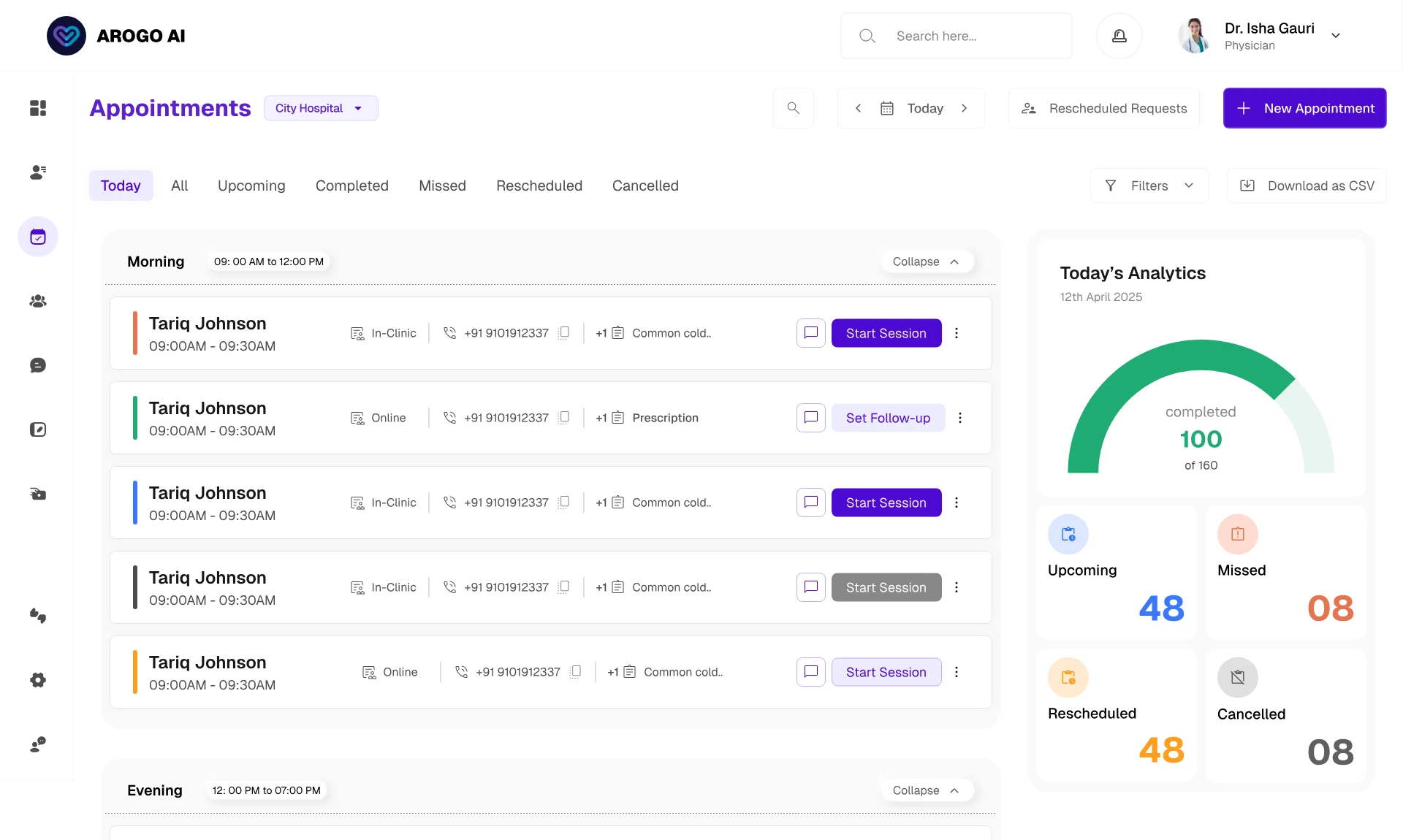
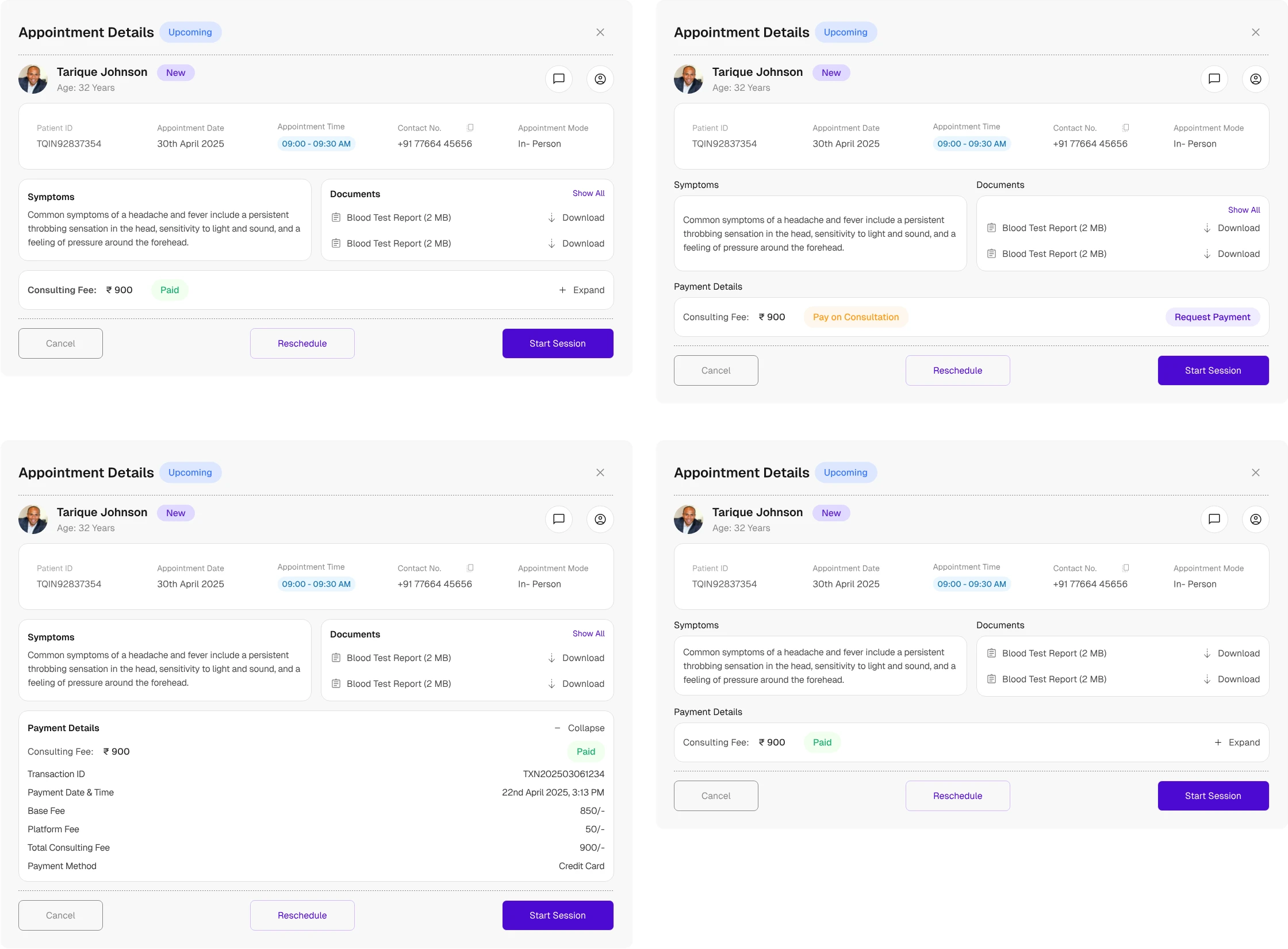
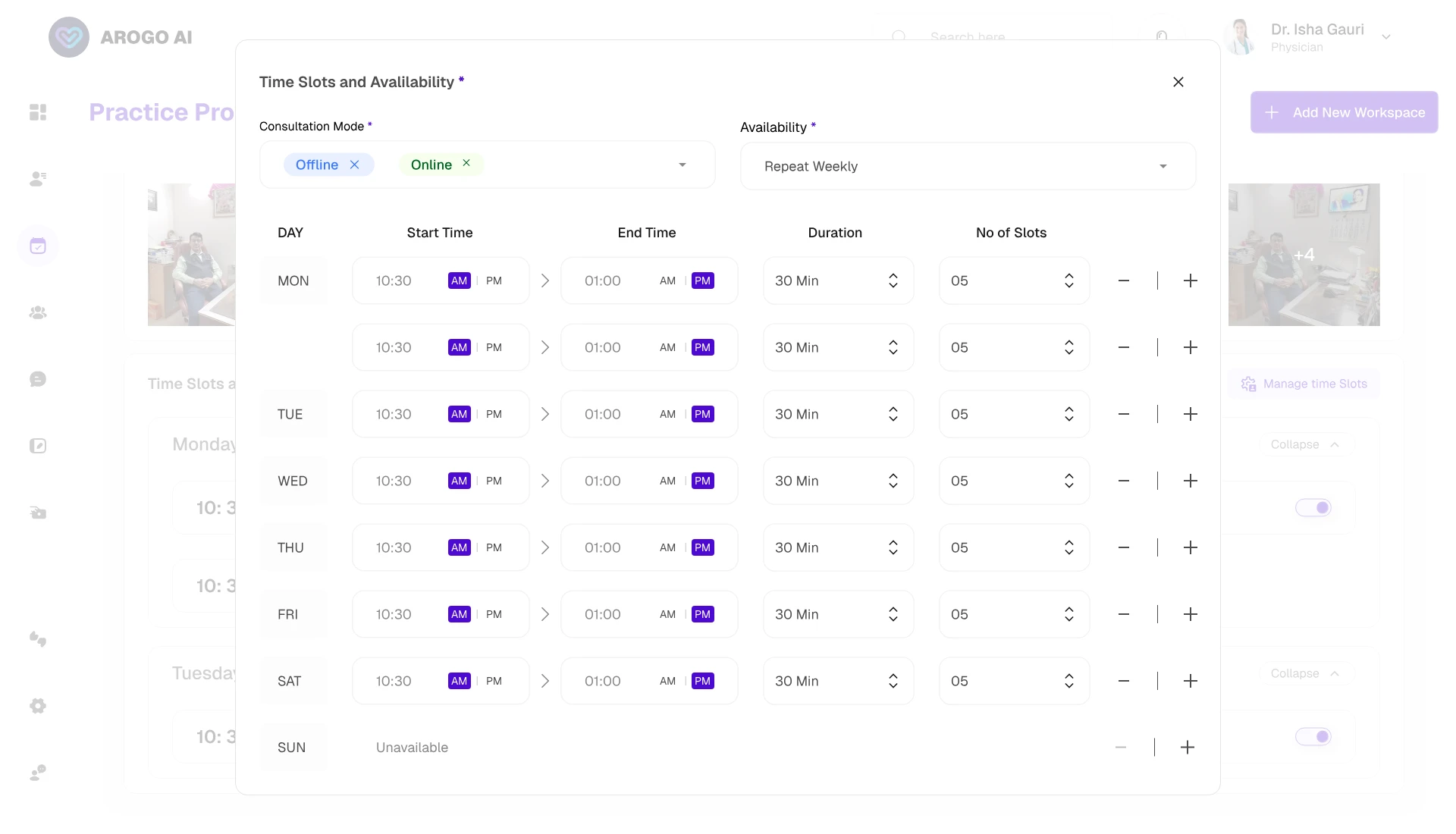
A dashboard that mirrors the database forces the doctor to do the triage the product should do for them. I built it to reorder around what needs attention rather than render a fixed layout, with vertical position encoding urgency and frequency of use.
Operational insights lead — appointment volume and average wait time answer "how heavy is today, and am I running on time" in one second. Critical patient alerts sit immediately below, because a patient needing urgent attention cannot be one row the doctor has to scroll to find. AI insights and patient chats follow. An instant consultation entry point sits on the home surface, so the most-used action in the product is one tap away rather than buried in navigation. Financial overview and patient satisfaction close the screen: real practice-health signals, but review-cadence ones, so they earn a place without competing with the urgent.
The multi-hospital problem lives here. A doctor practising across facilities can prescribe, order, or bill against the wrong one, which is among the most dangerous quiet failures the product can produce. So the active hospital is always visible and never silently inferred. Switching is explicit and fast, and the dashboard reloads that hospital's appointments, patients, and financials, so what is on screen always matches where the doctor is standing.
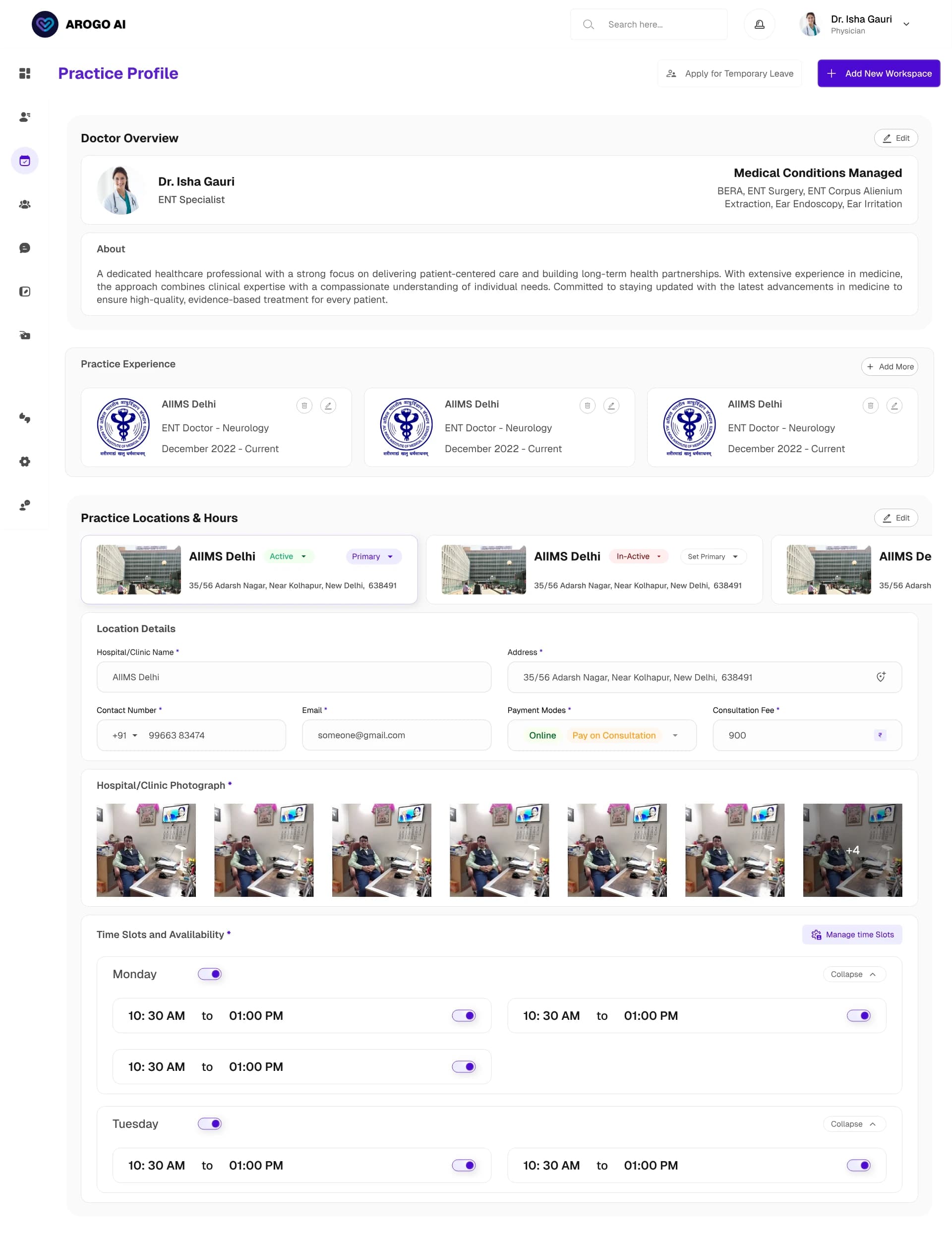
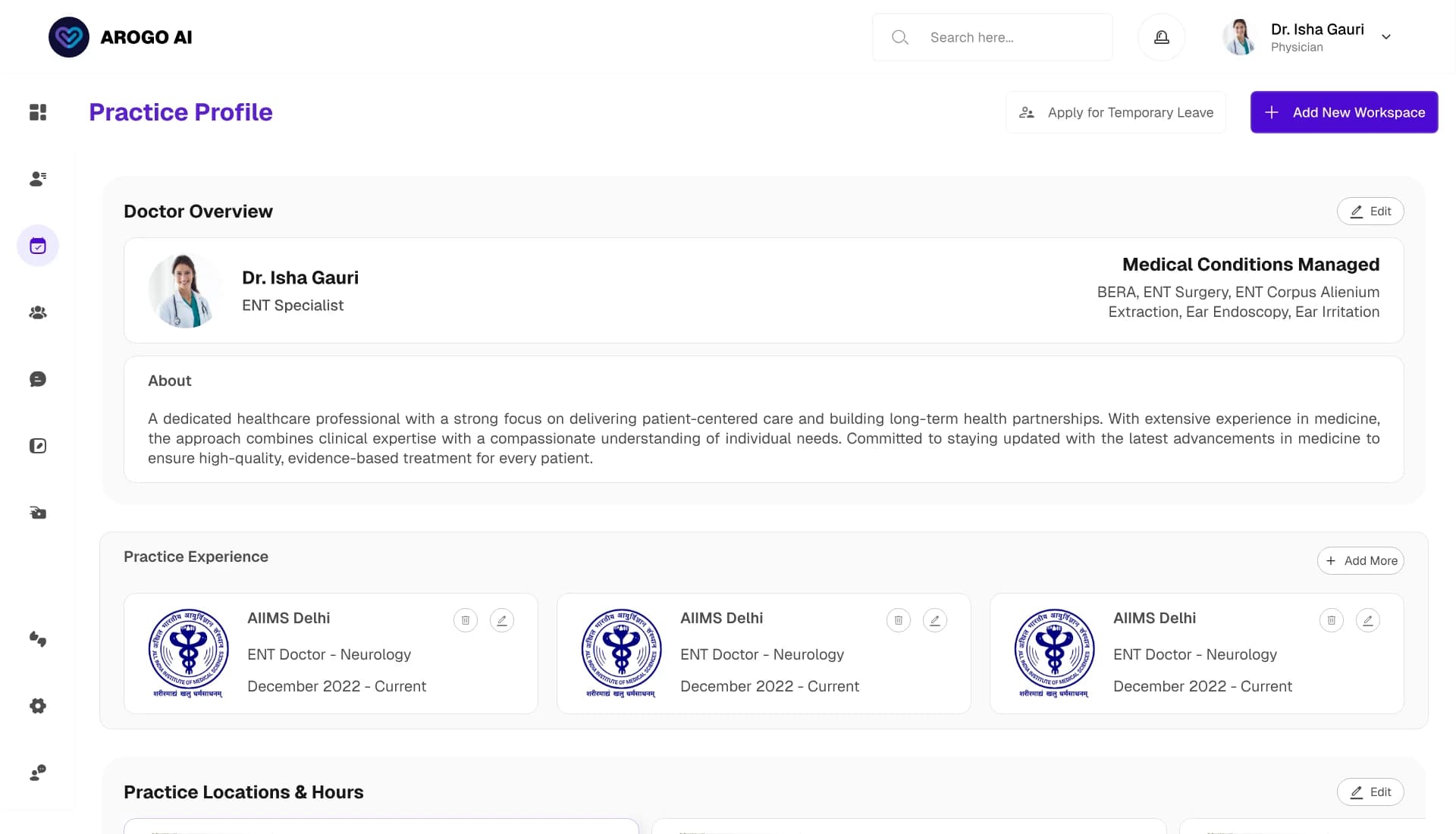
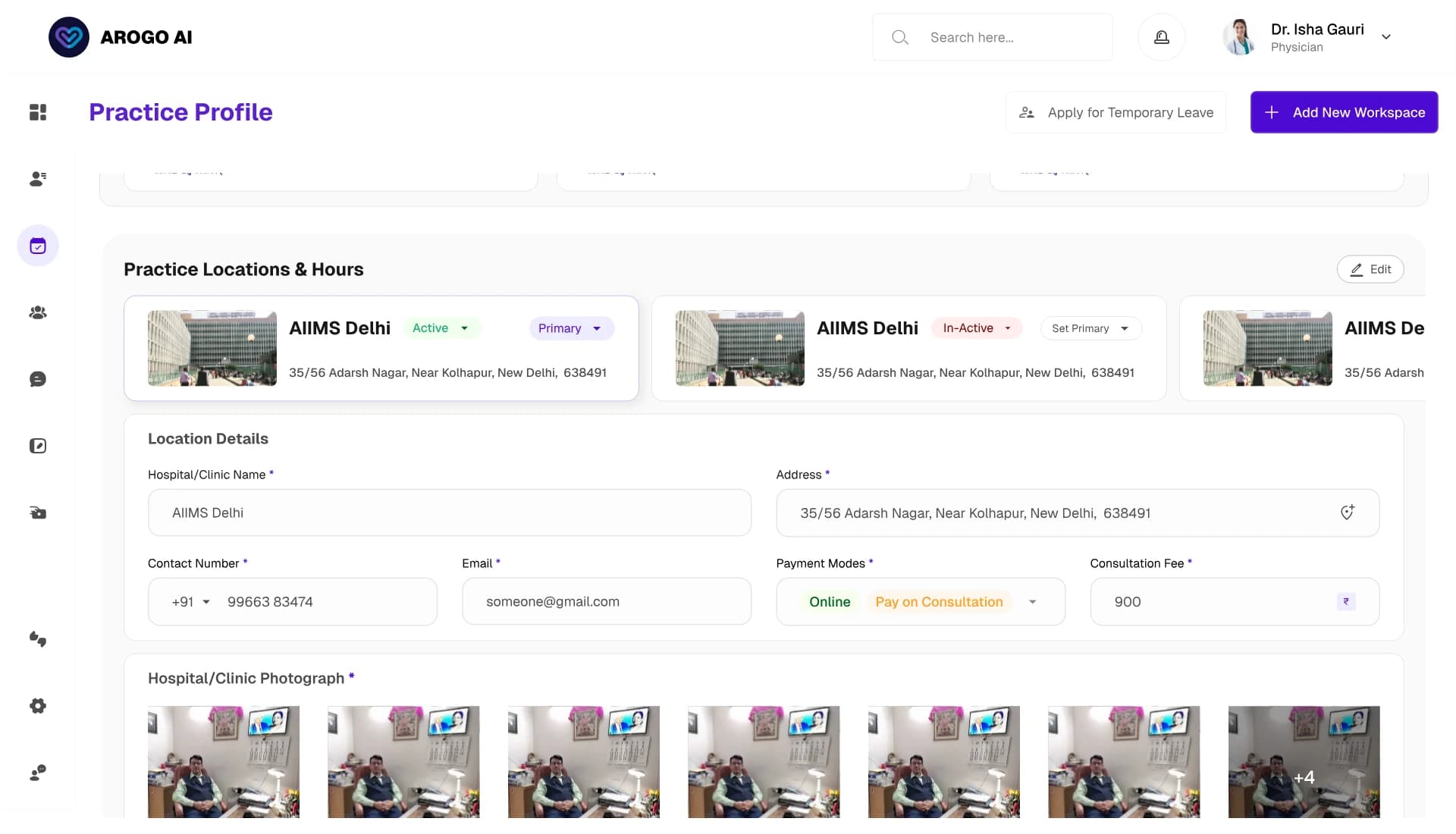
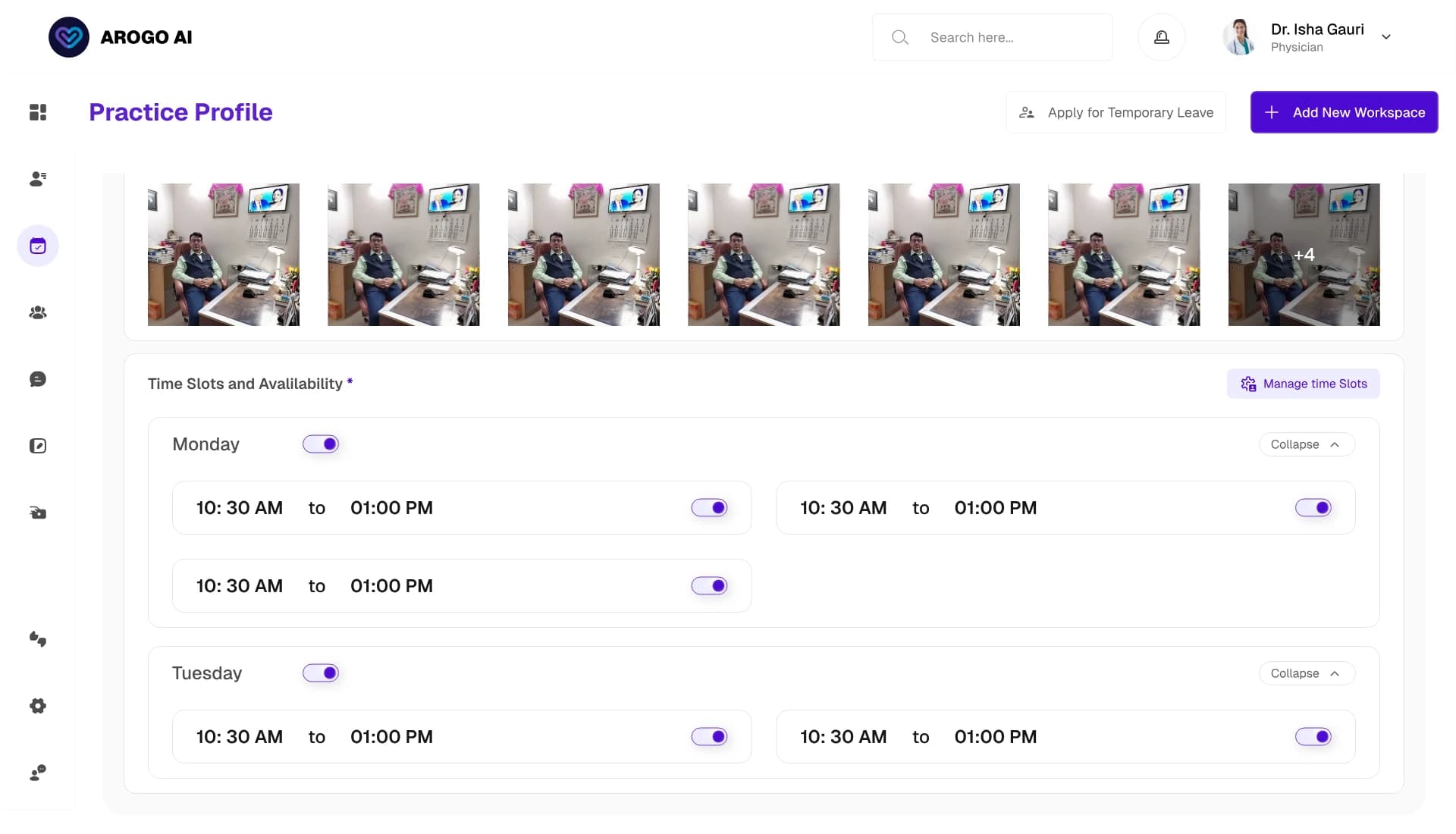
The supporting surfaces
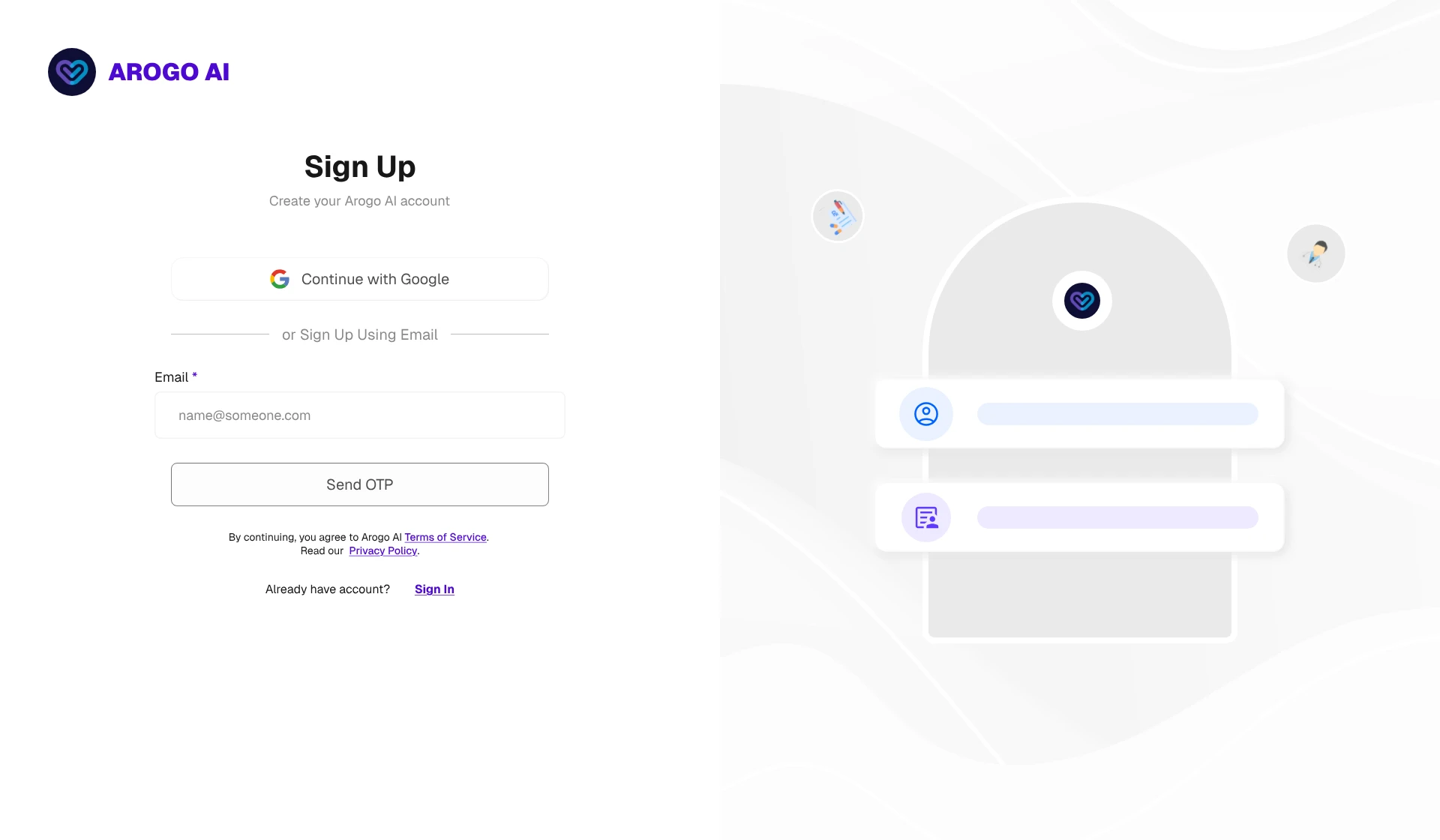
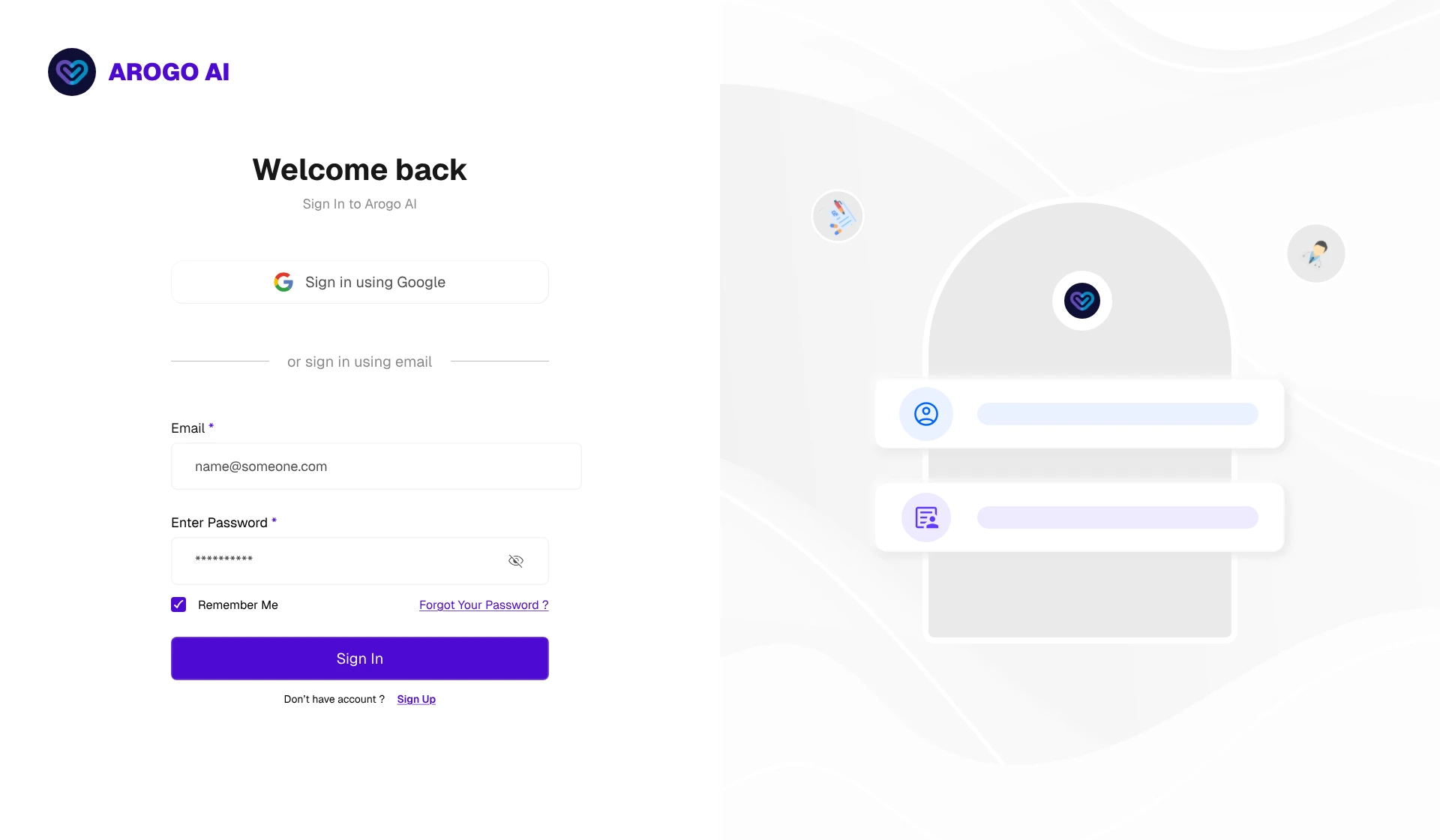
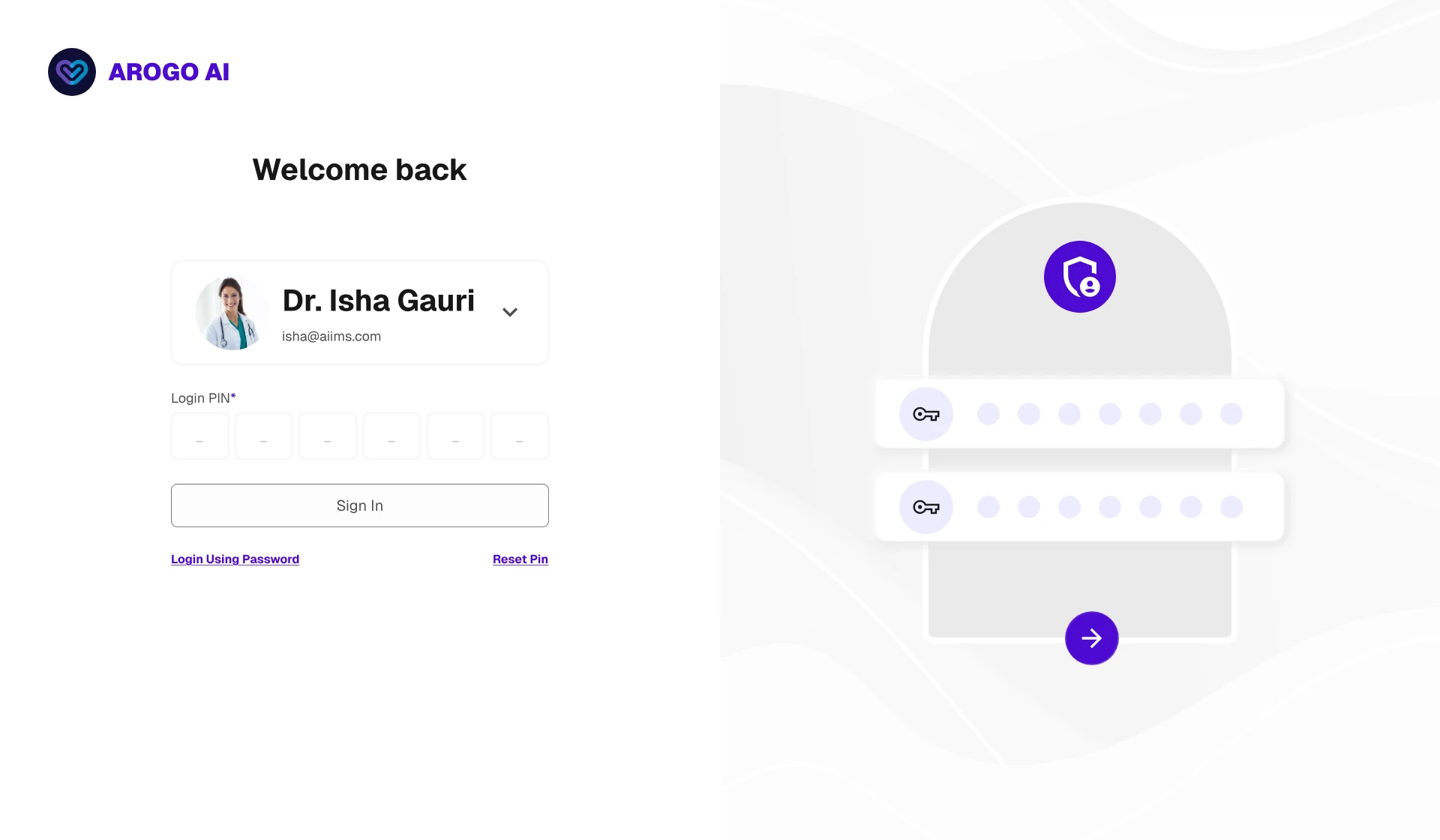
Authentication. Two sign-in paths (Google or email) plus a numeric PIN for returning sessions. Doctors reopen the app dozens of times a day; full re-auth every time compounds into abandonment. I closed the obvious gap with device binding, so a stolen PIN on an unrecognised device gets nowhere, and a weekly full re-authentication that caps how long any session persists.
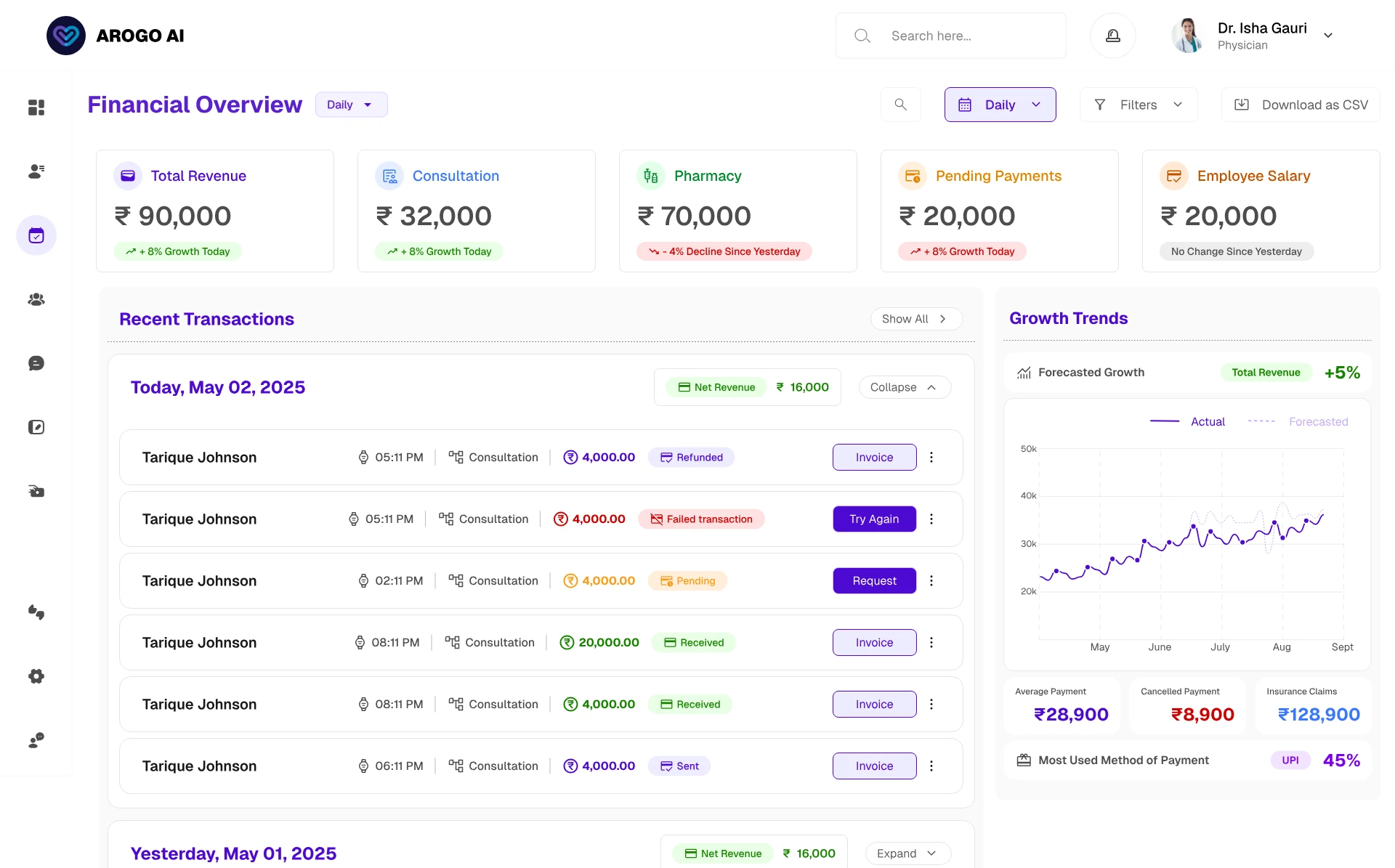
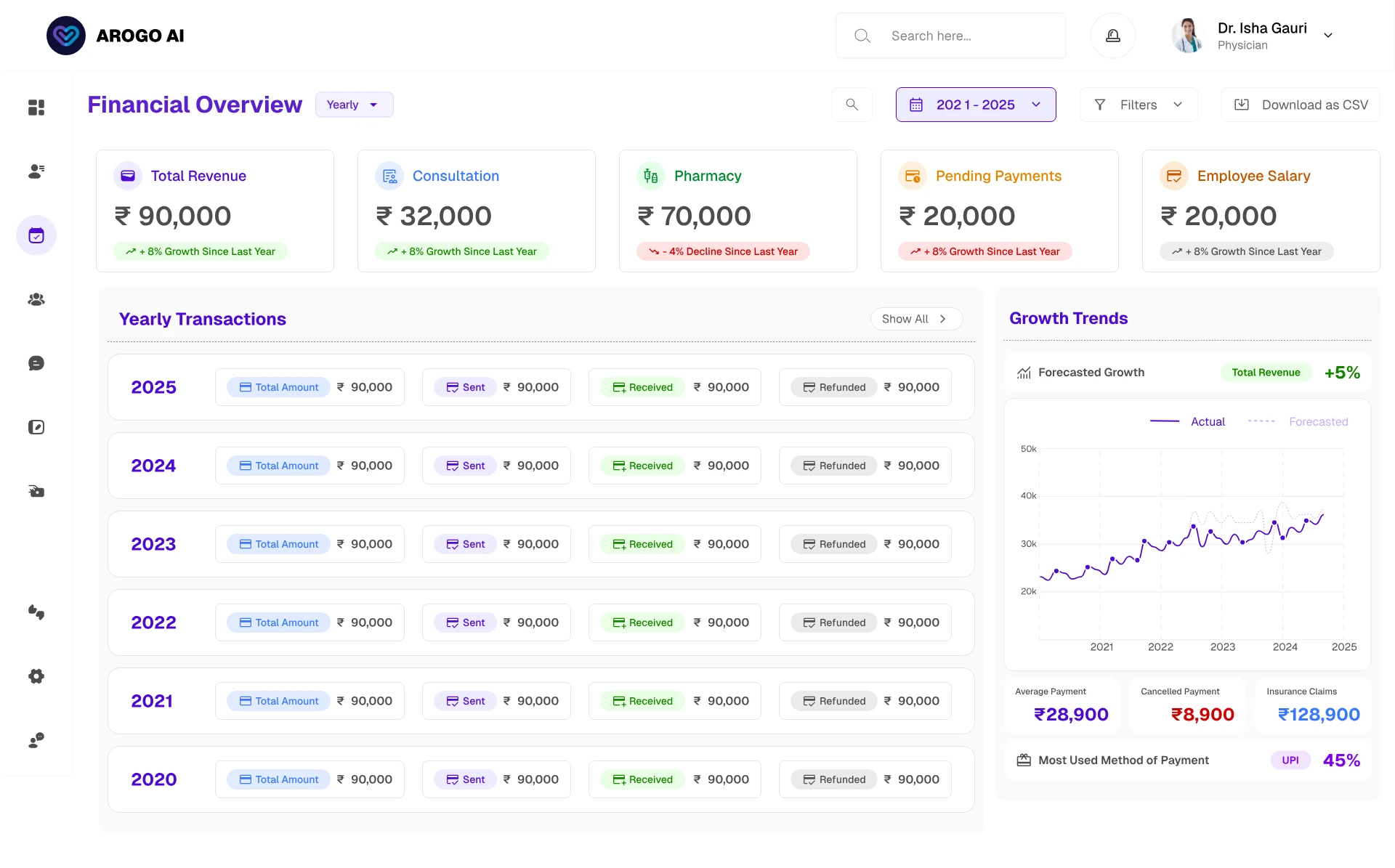
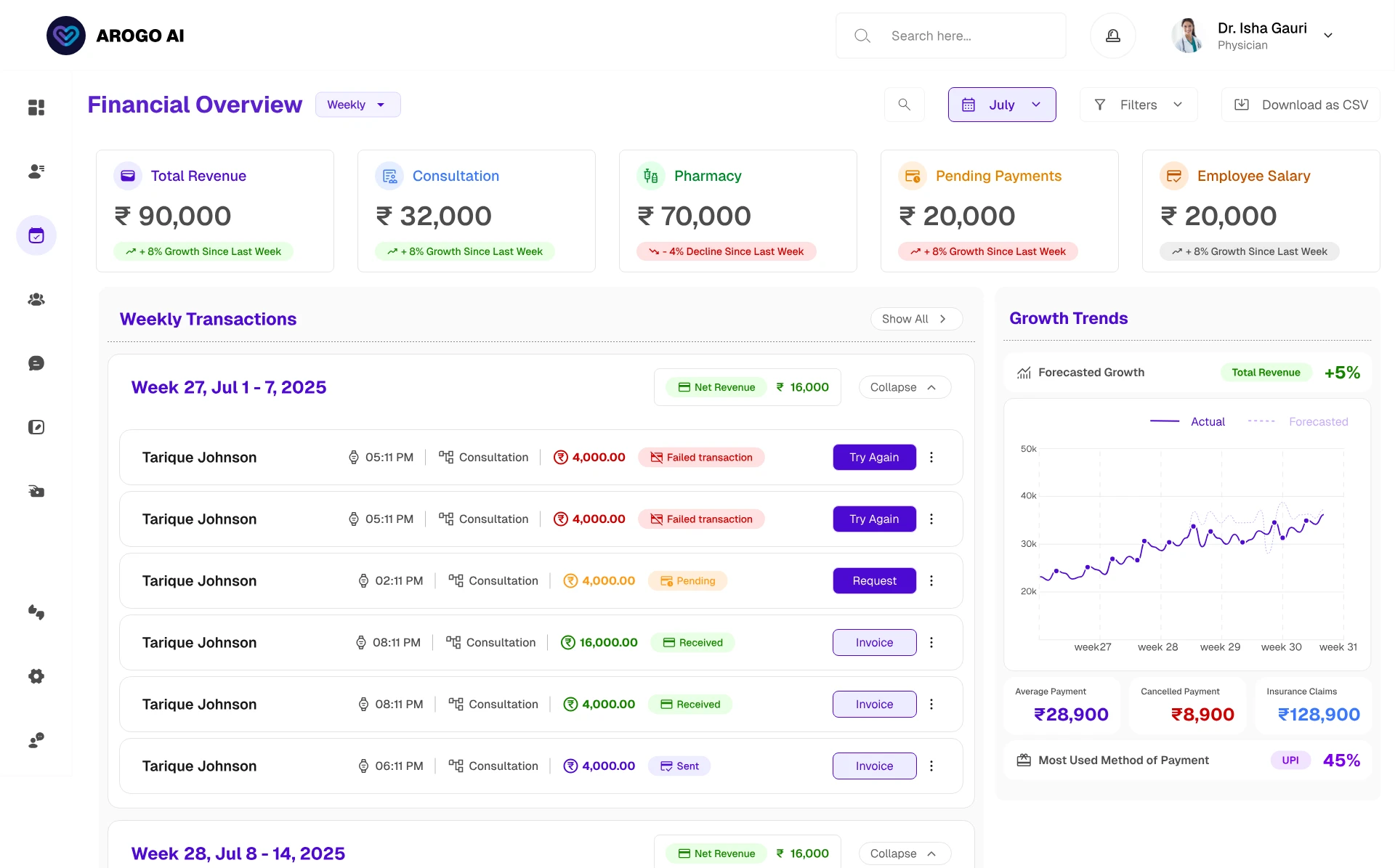
Financial overview. Revenue as insight, not as a ledger. Summary cards carry total revenue, outstanding dues, and the cash-versus-UPI split, which matters specifically in the Indian context where the two behave very differently for reconciliation. Trend visualisation answers the growth question, because "is the practice growing" is a question about slope, not a single number. Pending payments render as a workable list rather than a figure to investigate, and invoices generate directly from a consultation or balance.
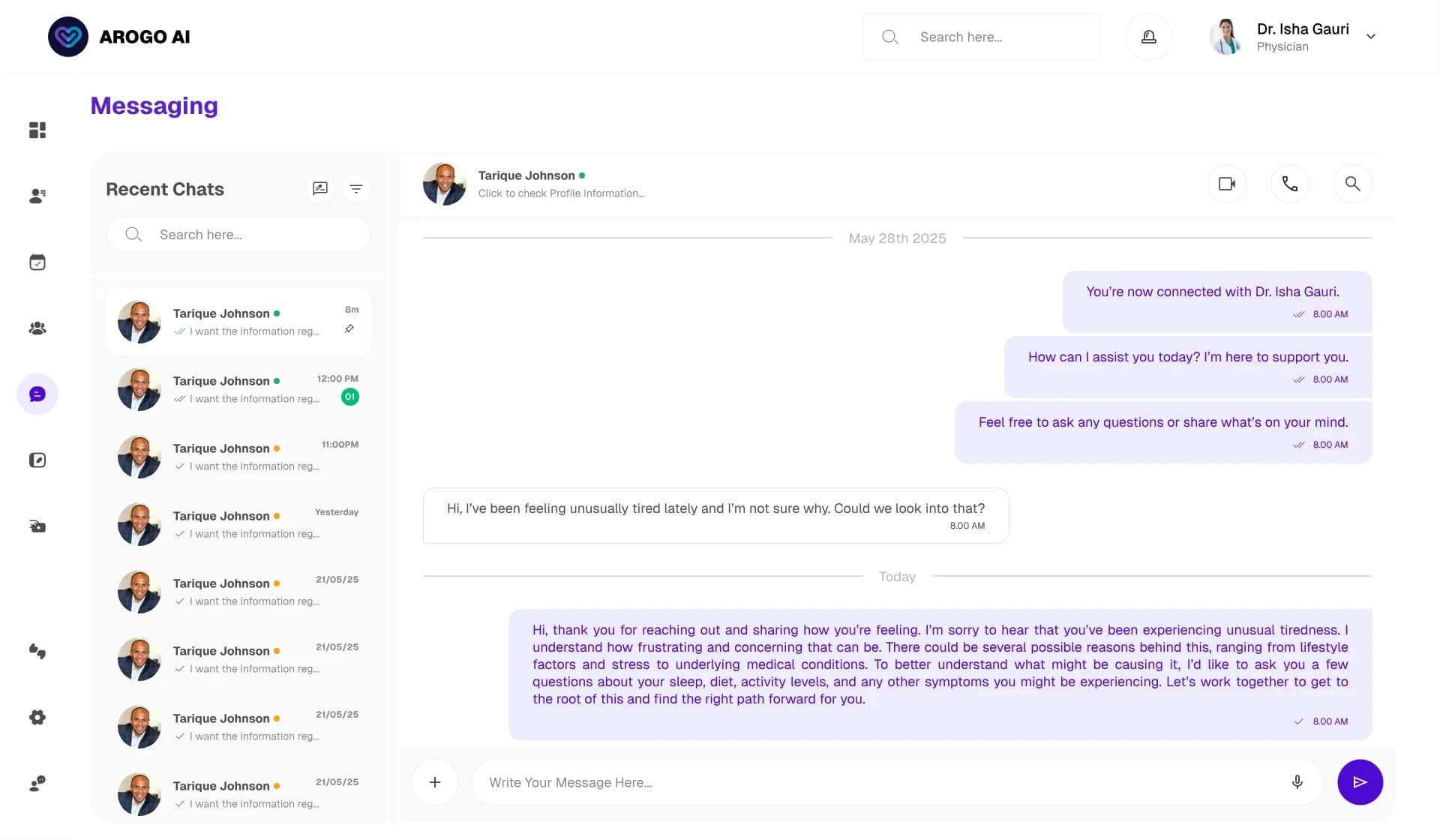
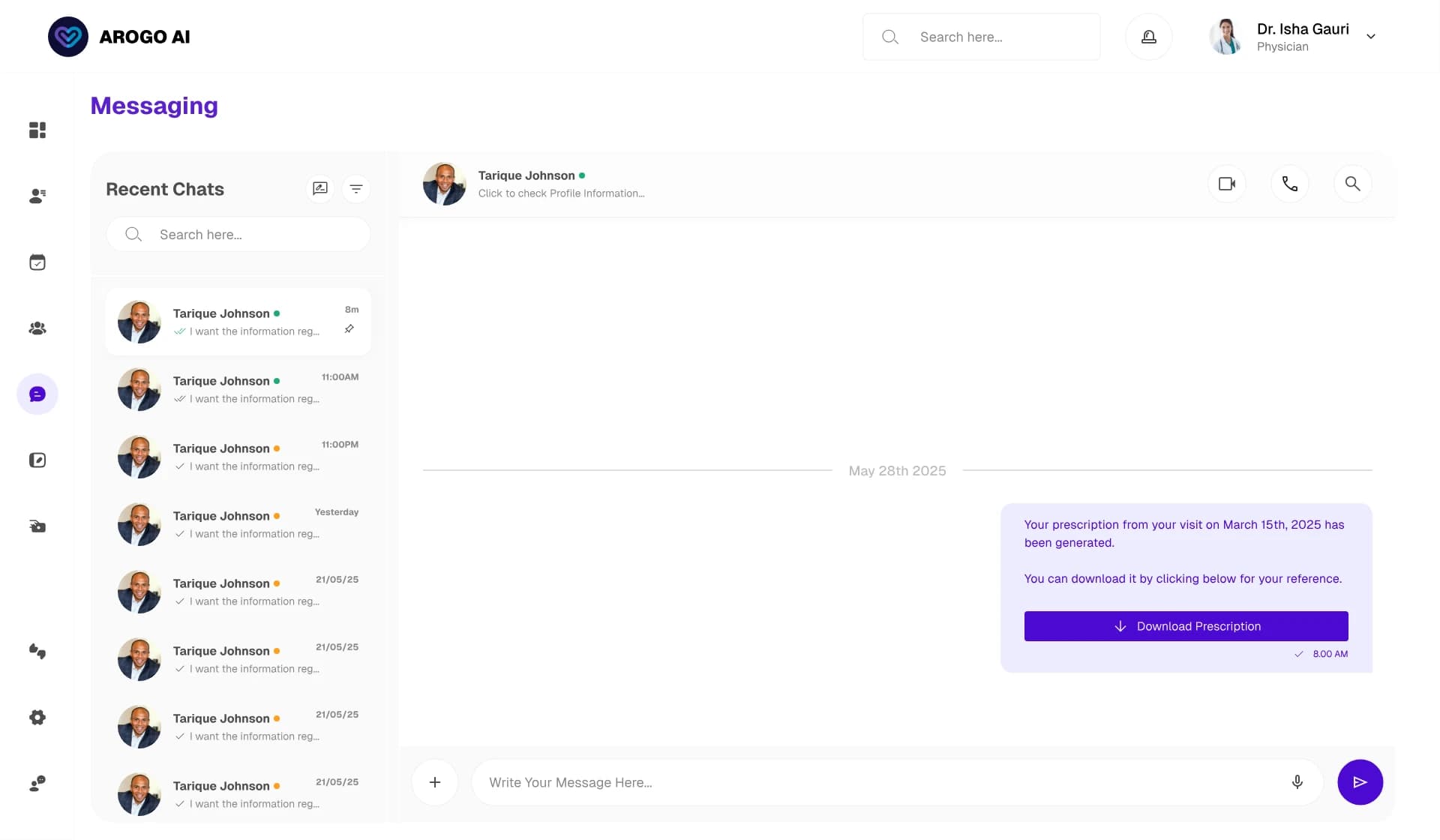
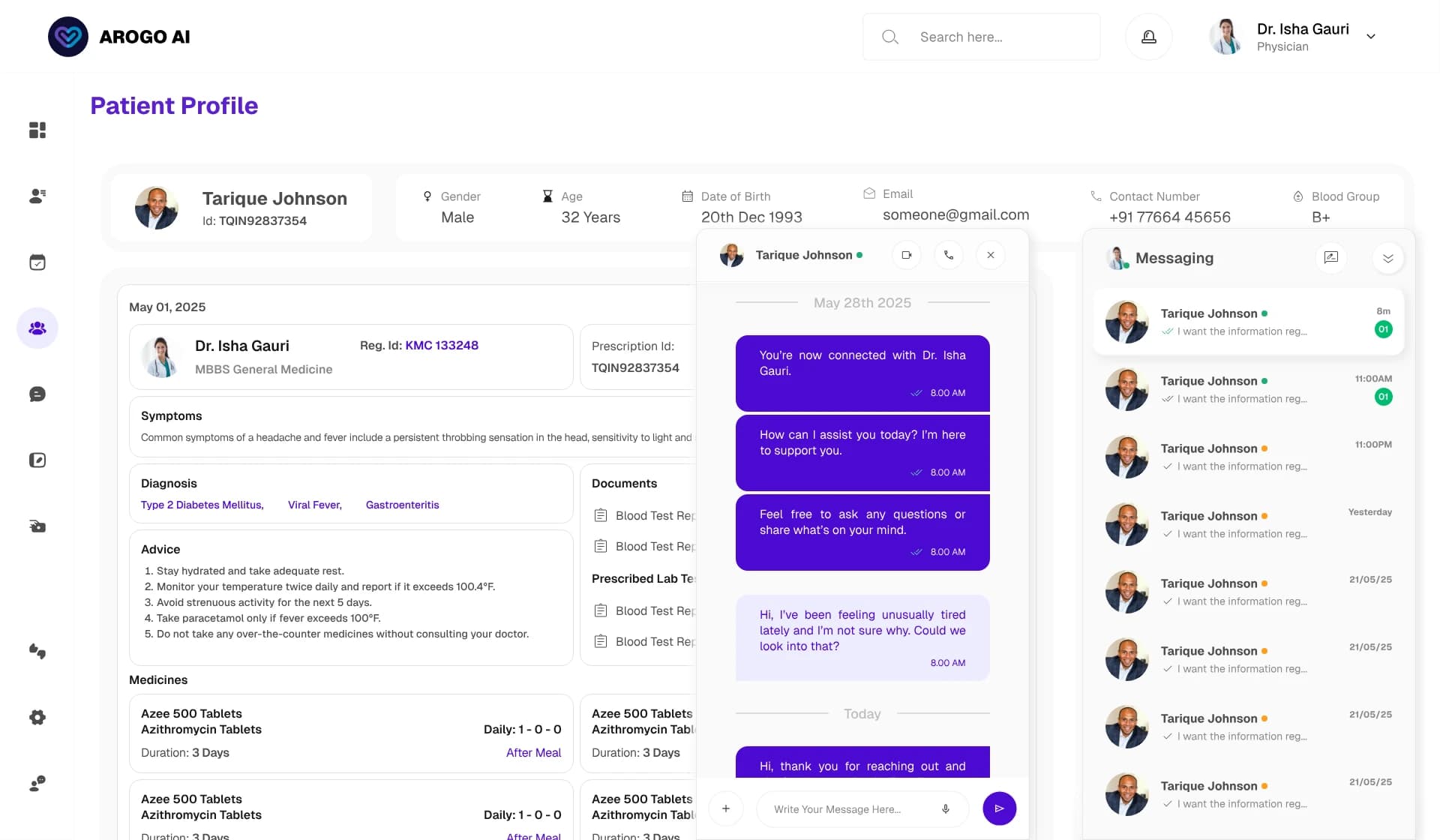
Communication. Messaging and video live inside the patient's context, so contact carries the clinical thread instead of scattering across WhatsApp where nothing is logged. Follow-up alerts were the part I treated most carefully. The documented failure mode in clinical software is alert fatigue: fire too many low-value notifications and clinicians dismiss all of them, including the one that mattered. So alerts are tied to genuine continuity-of-care moments the doctor explicitly set, composed from that patient's context so they carry why, and the highest-stakes signals surface on the dashboard rather than as one more dismissible push. Severity decides the channel.
The design system
Eight surfaces, one designer, six engineers, and no design owner in the room after I left. The system was not a deliverable made at the end; it was the mechanism that made any of that survivable.
Why purple was the right call. The most important rule in clinical colour is that status colours stay reserved: red means danger, amber means caution, green means stable. Clinicians read those as signal, not decoration. A brand colour competing with that palette dilutes it. #4C0AD1 sits entirely outside the red-amber-green range, so it can own brand, primary actions, and navigation without ever being mistaken for a clinical state. Interface chrome and clinical alerting never speak the same colour language.
I treated WCAG AA as the floor and never used colour as the only carrier of meaning — risk states are marked by icon, label, and position as well as hue, so a colour-blind clinician reads the same urgency as everyone else.
Two-tier tokens. Level 1 is the raw palette named by what it is. Level 2 is the semantic tokens the UI consumes, named by what they do. A button references primary-action, not "violet 600". The whole product re-themes by changing level-1 values once, and a developer reading the token name knows the intent where a hex tells them nothing.
States, not screens. The component library defines the full interactive set — hover, active, disabled, loading, empty, error. In this product the loading and empty states are not edge cases; a health card mid-generation and a dashboard before the day loads are the experience.
Outcome
Three months, idea to validated end-to-end design across eight surfaces, handed to six engineers who carried it into development.
Prototype testing with 10 practicing doctors on the three highest-stakes surfaces meant engineering built against a design clinicians had already used, not against assumptions. Prototype stage is the cheapest possible place to find those problems.
The token architecture and full state coverage were the mechanism that let one designer's intent survive into six engineers' implementation with no one left to ask.
the review-and-confirm trust model, the two-tier latency strategy, the verification preview state, and the clinical-risk colour discipline. Those are what a clinician feels.
What I learned
I came in thinking the hard part was making AI output look good. The real work was designing the seams where a doctor's judgment overrides the machine. Review-and-confirm is not a safety layer bolted onto a smart feature; it is the feature, because the AI's value only unlocks once the doctor trusts it.
Faced with real latency, the tempting move is a shimmer that pretends otherwise. The better move was to split the work, tell the doctor what was generating, and notify them when it landed. I would rather a user trust the system than be briefly impressed by it.
The token structure felt like overhead while I was building it. Its value only became legible at handoff, when the design had to function as the single source of truth without me. Systems are how a designer's judgment scales past their own presence.
What I would do differently
Validating with 10 doctors was real rigour, but the closer a designer sits to the original problem definition, the better the solutions. Given the chance again I would push to sit in on the primary conversations rather than inheriting the framing.
I validated it through reasoning, not with users. Acting in the wrong hospital's context is one of the most dangerous quiet failures in the product, and it is exactly the kind of error a designer cannot catch from their own desk.